Updated: August 2026
Welcome to the 2026 primer for e-guidance for your upcoming Santana Adventures Cycling Cruise. Our veteran guests already know what to expect. If you’re joining us for your first adventure, please read carefully, as Santana does not provide the navigation device you’ll need to enjoy your vacation. You must bring your own device. Santana provides electronic mapping and routes for the devices listed in this guide.
Like every other cycling tour company, Santana formerly relied on maps and paper route sheets. The eternal problem is that neither method could show you where you were, or could tell you if you were on or off course. Becoming lost and/or riding extra miles was a regular occurrence.
In 2010, Santana became the first bicycle tour company to make the switch to GPS guidance. The reason for this conversion was Santana’s move from hotel-based tours (where arriving too late for dinner was acceptable) to ship-based adventures—where it is essential to arrive at the dock before the ship sails into the sunset.
Jump ahead to today…
Although a handlebar-mounted GPS from Garmin remains an option for cyclists who already own or are comfortable using one, we’ve learned that today’s Smartphones can replace a dedicated GPS device as easily as they replaced most of our cameras. Since you likely already have a Smartphone and are familiar with its operation, learning to use it for bicycle navigation is relatively simple.
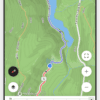
For most participants, Santana now recommends using a smartphone with RideWithGPS for navigation. If you already own a compatible Garmin or other cycling GPS and enjoy using it, keep using it! But, if you’re considering buying new equipment for your trip, we recommend investing in your smartphone setup—a secure handlebar mount, battery backup, or even a newer phone—rather than purchasing a new dedicated cycling GPS.
Three important items to note about using your smartphone:
- Obtain a top-rated handlebar mount. Spend a few extra bucks to make sure your expensive phone remains mounted to your bike if you encounter bumpy terrain. We like these mounts: Quadlock, & Peak Design Out Front v2. Rental bikes do not come with a phone mount!
- Make sure your phone and mounting setup are up to the task. While we never recommend riding during a full rainstorm, sudden rain showers do happen. Most current smartphones offer substantial water resistance, but check the rating and condition of your particular phone before relying on it in wet weather.
- Start each day with a fully charged phone, and know how long your phone will last while navigating with RideWithGPS. For long days of cycling, especially for riders who prefer to leave their screen on continuously, we strongly recommend carrying a small power-bank. Because your phone is the best way to summon help in a timely manner, preventing a dead battery is essential. If you carry a power bank, make sure it is protected from the weather as well.
Your phone is your lifeline if you have a breakdown or an injury—please take precautions to ensure it works when you need it most.
With how far smartphone technology and RideWithGPS have come, our current recommendation is simple: for most cyclists, use the smartphone you already carry instead of buying a dedicated GPS unit specifically for your Santana trip.
Even if you plan to navigate with a Garmin, please download the RideWithGPS app to your iPhone or Android. If something happens to your GPS, you’ll have a backup navigation device in your pocket. The app is also the easiest way to review each day’s routes, mileage, and elevation information.
Be sure to download these free apps before you leave for your cycling cruise.
We haven’t abandoned Garmin!
Garmin users, don’t worry—we aren’t taking away the device you already know and love. Many Santana cyclists have years of experience navigating with their Garmins, and you don’t have to switch if your current device works well for you. We will continue to support compatible Garmin cycling GPS units.
Additionally, if you have a non-Garmin GPS that integrates with RWGPS, no problem!
RideWithGPS also integrates with a growing number of cycling GPS devices, making it easy to send our routes to compatible units. Please pay attention to your device’s WiFi/connectivity requirements. Getting routes onto a device that requires WiFi to sync routes can be a torturous process.
Because smartphones have become such capable navigation devices, we no longer publish a GPS Buyers Guide. If you do not already own a cycling GPS, we do not recommend purchasing one specifically for a Santana trip. Put that money toward a secure phone mount, battery backup, or an updated smartphone instead—you’ll get far more use out of it both on and off the bike.
As a rule, if your GPS shows arrows instead of displaying a map, it won’t navigate the routes we provide (or help you to work your way around a construction zone).
Prepare for Success:
- Please download these apps before you leave for your cycling cruise. They will allow you to stay in contact with Santana’s team and receive routes/route-updates during the cruise.
- If you plan on using a GPS Device in lieu of a smartphone, please read and follow RideWithGPS’s integration instructions.
- Ensure your phone can make calls in any foreign countries you’ll visit. Generally speaking, Verizon, ATT and T-Mobile provide overseas connectivity for ~$10 a day. If you have a Trac phone or a secondary provider, you’ll need to find and buy a SIM card/eSIM for each country you’ll visit (which is a huge hassle). Make sure your current phone is waterproof. If you plan to use a secondary SIM/eSIM, confirm with your phone provider that your smartphone is unlocked. A locked smartphone will not be able to use a local SIM/eSIM.
- Ensure your phone can make calls while traveling in each country on your itinerary. Check with your cellular provider before departure to determine whether international roaming is included with your plan or whether you’ll need to add an international plan or use an eSIM. While RideWithGPS routes can be downloaded for offline navigation, cellular service remains important so that you can call or message Santana’s team if you need assistance.
- Start every cycling day with your smartphone and/or GPS fully charged. If your phone’s battery may not comfortably last through a full day of navigation, carry a fully charged power bank. Bring necessary chargers, cables and adapters for your device.
- Having seen too many GPS devices and smartphones launch into oblivion and getting promptly run over by a following car we cannot stress enough the importance of a secure mount for your GPS or phone. If you have a bike-specific GPS your unit should already come with the appropriate hardware to secure your GPS. If you opt to use a smartphone, the challenge is securely mounting your smartphone to the handlebars. There are a myriad of choices out there but the few that we would consider worthy are mounts that have some form of locking device. Avoid units that secure your phone via a “rubber band” system. Those may be great for your Peloton or perhaps cruising the local rail trail on your hybrid, but for most real-world situations you run a high risk of spitting your phone off of your bicycle when you hit a big bump and they can make it harder for your phone to recognize your touches. We don’t endorse anything specifically, but a phone mount that clamps to your bars and has a lock mechanism (like most bike GPS mounts) is the way to go. Examples include Quad Lock, and Peak Design (some systems require the mount and a compatible phone case). You can check out the DC Rainmaker website for more insights: www.dcrainmaker.com (search phone mounts).
- In addition to RWGPS, have WhatsApp and Google Maps on your phone (yes, you need Google Maps even if you are using an iPhone). If you break down or get hopelessly lost, these two apps allow us to locate you as quickly as possible.
FAQs that always arise before a tour:
-
- Will there be cue sheets/maps?
No, since 2010 all of Santana’s overseas events have been GPS guided; you will need a Smartphone or GPS unit. A route/cue sheet, unlike an e-map, can’t confirm if you’re on or off course. Even if you’re off course and hopelessly lost, reporting your coordinates allows emergency responders or our SOS van to arrive without delay. This is not only a potential lifesaver if you are injured, it also allows us to help you reach the ship before it sails into the sunset. - Can I use my portable automotive GPS?
DO NOT bring GPS units designed for cars or motorcycles (including Garmin’s “Drives” (formerly Nuvi and “Zumo”). These devices are purposefully engineered to reject the best courses for non-motorized vehicles. For Santana Adventures’ tours, all automotive GPS units are a 100% FAIL! - When will routes be available? On the eve of your tour, after we’ve rechecked all routes, you will receive an invite link to our event’s RideWithGPS page, where you can view and download the routes. From RideWithGPS, smartphone users can access the routes in the mobile app, while Garmin and other compatible cycling GPS users can upload the routes to their devices. Accept the invite and further information on how to download rides will become available.
- Where can I find out if my device works with RWGPS?
Mobile app link
GPS device compatibility and setup - Will I have all of the routes before the tour? No. While we’ve scouted all routes long in advance, we’ve had repeated problems when riders with preliminary routes lead others onto an outdated course. Additionally, most ports won’t assign a specific dock until a day or two before our cruise embarks. Because our RWGPS routes are cloud-based, Santana can make last-minute route updates as conditions change. Your phone will need an internet connection periodically to receive those updates, but once the current routes and maps have been downloaded, RWGPS can navigate without an active cellular connection.
- Will there be cue sheets/maps?